
The best AI tools for coding in 2026 are Claude Code, OpenAI Codex, and GitHub Copilot. Claude Code is the top pick, because its agentic, multi-file workflow is consistently rated among the strongest in independent reviews, not just in Anthropic’s own claims. OpenAI Codex has the cheapest paid entry point at $8/month (US price) through ChatGPT Go, and ChatGPT’s free plan includes limited Codex use too. If your team needs enterprise-grade compliance, Amazon Q Developer’s $19/month Pro tier is the one built for that, especially if you’re already living in AWS. Here’s how all 10 tools stack up on price and standout features.
| Rank | Tool | Best For | Standout Feature | Used at Work (JetBrains 2026) |
|---|---|---|---|---|
| 1 | Claude Code | Overall pick, agentic coding | Multi-file code edits | 39% |
| 2 | OpenAI Codex | Budget and general-purpose coding | Bundled with ChatGPT plans | 16% |
| 3 | GitHub Copilot | Broad IDE support on a budget | Works in almost every IDE | 21% |
| 4 | Cursor | AI-native editor workflows | Inline diffs across files | 12% |
| 5 | JetBrains AI Assistant | JetBrains IDE users | Native JetBrains integration | 9% |
| 6 | Devin | Autonomous task delegation | Cloud agents that work unsupervised | Not reported |
| 7 | Amazon Q Developer | AWS-heavy teams | AWS-native tooling and IP indemnity | Not reported |
| 8 | Augment Code | Teams with large codebases | Repository-wide context engine | Not reported |
| 9 | Replit Agent | Beginners and rapid prototyping | Built-in deployment | Not reported |
| 10 | Tabnine | Privacy-focused enterprises | Private and self-hosted deployment | Not reported |
What Are AI Tools for Coding?
AI tools for coding are software that uses large language models to write, explain, fix, and review code. In 2026 they fall into four groups, and most products on this list now cover more than one:
- Autocomplete and chat assistants suggest the next lines as you type and answer questions in a side panel. GitHub Copilot, JetBrains AI Assistant, and Tabnine started here.
- AI code editors are full editors built around AI, with multi-file edits shown as inline diffs. Cursor is the best known.
- Agentic coding tools take a task, plan it, edit many files, run tests, and open a pull request. Claude Code, OpenAI Codex, and Devin work this way.
- App builders turn a plain-language prompt into a running, deployed app in the browser. Replit Agent is the example here.
The right AI tool for coding depends on which of these jobs you need done. A developer refactoring a large codebase needs an agent; a beginner shipping a first app is better served by an app builder.
What Changed in AI Tools for Coding in 2026?
The shift from autocomplete to agentic coding is the single biggest change in this category since 2024. Tools no longer just suggest the next line; they plan multi-step tasks, make multi-file code edits, run tests, and open pull requests with minimal human review. That distinction is what most people mean when they look for the best AI coding agents: software that acts on a codebase, not just a smarter autocomplete.
Devin helped popularize the “autonomous engineer” framing, but by 2026 agentic execution shows up well beyond standalone agents. Replit Agent, Kiro, and Coder all run background agents capable of automated code review before a developer opens the diff. Google’s Gemini CLI and Gemini Code Assist pushed the same terminal-first agent model, while Sourcegraph Cody leaned into repository-aware context for large codebases.
Billing changed alongside capability. Several vendors replaced flat per-seat pricing with usage-based credits tied to agent runs, similar shifts in credit-based pricing we’ve seen in other AI assistants outside coding. That makes a flat monthly price far less useful for comparison than it was two years ago.
How These Rankings Were Built
A quick note on method: this is a research-based ranking, not a hands-on benchmark. We did not run our own paid tests for this roundup. Every price below was checked on the vendor’s official pricing page on October 28, 2026, and the rankings weigh documented features alongside recurring themes in public user reviews.
Each tool on this list was scored against five criteria: IDE integration depth, agentic capability (can it plan and execute multi-file code edits without step-by-step hand-holding), pricing transparency versus actual credit consumption, enterprise security compliance for team deployments, and independent review signals published rather than vendor claims alone.
Agentic capability carried the most weight, since it separates a true AI pair programmer from a legacy autocomplete tool. A tool that is best for one workflow, say Python refactoring, often ranks differently for enterprise governance or automated code review. Entrants like Coder and Windsurf were considered but excluded where documentation on plan limits or security certification wasn’t publicly verifiable at review time.
This mirrors the same evidence-based ranking approach we used for AI SEO platforms, weighting documented specifics over marketing copy.
For the top five, we also weighed real-world adoption. JetBrains’ Developer Ecosystem Survey 2026 (more than 15,000 professional developers, May to July 2026) found Claude Code used at work by 39% of developers, GitHub Copilot by 21%, OpenAI Codex by 16%, Cursor by 12%, and JetBrains AI by 9%. We chart these figures next to AI chatbot web traffic in our AI race tracker. The Pragmatic Engineer’s 2026 survey asked developers which tools they love most, and Claude Code led, followed by Cursor and GitHub Copilot. Tools ranked 6 to 10 had no comparable survey data, so they’re ranked on documented features, pricing, and fit, and each section explains why it sits where it does.
AI Tools for Coding Compared: Pricing and Features
GitHub Copilot Pro and JetBrains AI Pro both cost $10/month, the cheapest dedicated coding plans here, though ChatGPT Go ($8/month) also includes light Codex use. At the other end, Tabnine’s Code Assistant plan costs $39 per user per month on an annual contract, and Cursor’s Premium plan, needed for Claude, GPT, and Gemini models, costs $30/month. Every price below was checked directly against each vendor’s own current pricing page rather than third-party trackers or older cached screenshots, since only the vendor can confirm a live price change. Figures were last verified October 28, 2026.
Tool Paid Entry (billed monthly) Annual Option Free Plan How Billing Works Claude Code $20/mo (Claude Pro) $200/yr (about $17/mo, Claude Pro) No, starts with Pro Per user, with usage limits OpenAI Codex $8/mo (ChatGPT Go) Not listed Yes, limited Included in ChatGPT plans GitHub Copilot $10/mo (Pro) Not listed Yes Per user, with monthly credits Cursor $8/mo (Plus) or $30/mo (Premium) Not listed Yes, limited Shared usage pool; Claude, GPT, and Gemini billed at API rates on Premium and up JetBrains AI Assistant $10/mo (AI Pro) $100/yr (about $8/mo, AI Pro) Yes, 3 credits a month AI credits ($1 each); IDE sold separately Devin $20/mo (Pro) Not listed Yes, light quota Quota, plus extra usage at API pricing Amazon Q Developer $19/user/mo (Pro) Not listed Yes Per user Augment Code $20/mo flat, up to 50 seats Not listed No Flat team price with included usage, plus top-ups Replit Agent $20/mo (Core) $216/yr ($18/mo, Core) Yes, limited Subscription with included usage credits Tabnine $39/user/mo (last published) Annual contract only No Per user, sales-led quote
Note on Codex: OpenAI doesn’t sell Codex as a separate plan. Access comes bundled with ChatGPT plans, starting at $8/month with ChatGPT Go, plus limited use on the free plan. So the real cost depends on which ChatGPT tier you need.
Using more than one of these? Our AI subscription cost calculator adds up your coding and chat plans per month and per year, and flags where you are paying twice for the same thing.
The 10 Best AI Tools for Coding, Ranked
The list below ranks all ten tools from strongest overall pick to most niche fit, with a dedicated breakdown for each. Every entry follows the same format: a plain-language description of who the tool suits, an honest pros and cons split, and a takeaway you can act on without reading a vendor’s marketing page.
Rank order here reflects the weighting explained above, not just price or popularity. A tool can score well on agentic capability and still land lower if users repeatedly flag reliability or support issues. Where a product changed pricing or repositioned itself this year, that shift is called out directly in its entry rather than buried in a footnote.
1. Claude Code
Claude Code is Anthropic’s agentic coding tool, built to run from a terminal or inside supported IDEs. It plans a task, edits across a codebase, runs tests, and opens a pull request without line-by-line direction. Anthropic’s own documentation cites an example of splitting a monolithic Express.js route file into separate modules with matching test files, the kind of multi-file refactor that stalls older autocomplete tools.
Price-wise, it’s in the middle: $20/month, or $17/month if you pay yearly. That’s double GitHub Copilot Pro’s $10/month, but it also includes the full Claude chat app. Claude Code isn’t available on Claude’s free plan.
It suits teams already using Claude elsewhere who want one vendor for chat and code, and solo developers comfortable in a terminal. It’s a weaker fit for anyone expecting a polished visual interface, unlike Windsurf or Cursor.
Why it ranks #1: it’s the most used AI coding tool at work, used by 39% of professional developers in JetBrains’ Developer Ecosystem Survey 2026, and the tool developers named most often as a favorite in The Pragmatic Engineer’s 2026 survey. Its agentic, multi-file workflow is the reason.
Pros
- Strong multi-file edit accuracy on real repositories
- Handles full agentic workflows: plan, edit, test, open a pull request
- Works across terminal and IDE integrations rather than locking users into one editor
Cons
- Terminal-first workflow has a learning curve for GUI-focused developers
- Mid-pack pricing compared to budget options on this list
- Less mature visual interface than IDE-native competitors
2. OpenAI Codex
OpenAI Codex is OpenAI’s agentic coding tool, built around the same reasoning models that power ChatGPT and accessible through a CLI, an IDE extension, or a cloud-based agent that runs tasks in an isolated sandbox. It reads a repository, plans a change, edits multiple files, and can run tests before handing back a diff for review, which puts it in the same agentic tier as Claude Code and Devin rather than the older autocomplete category.
It suits developers already inside the ChatGPT or OpenAI API ecosystem who want agentic coding without adopting a separate vendor’s tooling. User reviews generally rate its multi-file code edits as competitive, though task completion still benefits from close review rather than unattended merges.
Why it ranks #2: it’s the fastest-growing tool in JetBrains’ survey, jumping from 3% to 16% of developers at work in six months, and it has the cheapest way in: $8/month with ChatGPT Go, or limited use on the free plan.
Pros
- Cloud sandbox execution isolates agent runs from a developer's local machine
- Works from CLI, IDE, or cloud, giving flexible entry points
- Ties into existing OpenAI account and API billing for teams already invested there
Cons
- No standalone plan; access comes bundled with ChatGPT tiers
- Best results still require human review of generated pull requests
- Less mature IDE integration than JetBrains AI Assistant or GitHub Copilot
3. GitHub Copilot

GitHub Copilot is Microsoft’s AI pair programmer, and its biggest advantage for enterprise buyers isn’t raw capability, it’s how deeply it’s wired into existing developer workflows. Copilot Enterprise adds SSO, audit logging, and IP indemnification, plus the option to fine-tune suggestions on a private codebase, features that matter more to a security team than benchmark scores.
Because it lives inside GitHub itself, automated code review comments and pull request summaries show up where engineering managers already work, rather than in a separate agent dashboard. That’s a real edge over standalone tools like Devin or Cursor when a compliance team needs a paper trail. It’s also the pick most likely to already have procurement approval at a large organization.
Why it ranks #3: it’s still the second most used tool at work (21% of developers in JetBrains’ 2026 survey), it works in more IDEs than anything else here, and Pro costs $10/month. Its lead has slipped as agent-first tools have grown.
Pros
- Enterprise tier includes SSO, audit logs, and IP indemnification
- Deep IDE integration across VS Code, JetBrains IDEs, and GitHub.com
- One of the cheapest paid plans here at $10/month
- Fine-tuning on private repositories for large teams
Cons
- Agentic multi-file editing lags behind Claude Code and OpenAI Codex, according to independent reviewers
- Enterprise features require a separate, higher-cost tier not reflected in the $10 individual price
- Autocomplete suggestions can feel generic on less common languages
4. Cursor

Cursor is a standalone code editor built on top of VS Code, designed around inline autocomplete suggestions and a chat panel that can edit multiple files at once. Unlike Claude Code’s terminal-first workflow, Cursor lives entirely inside the editor window, which suits developers who want AI code generation without leaving a familiar IDE layout.
The core Claude Code vs Cursor difference comes down to interface, not just capability. Claude Code runs as an agent from a terminal and hands off changes for review; Cursor keeps you inside the file tree, showing diffs inline as its Composer feature works across files. User reviews generally rate Cursor’s autocomplete accuracy highly, though multi-file agentic runs are described as less autonomous than Claude Code’s.
Cursor’s pricing changed on October 12, 2026, when it became part of The X Subscription alongside Grok and X Premium. The old $20/month Pro plan is gone for new customers. Plus costs $8/month but only runs Cursor’s own and Grok models. To use Claude, GPT, or Gemini inside Cursor you need Premium at $30/month, and those third-party models are billed separately at API list prices from prepaid credit. Existing Pro subscribers can keep their old plan. If you’re choosing between AI-native editors, our Google Antigravity vs Cursor comparison goes deeper on the two. Looking for other options? See our Cursor alternatives guide. Comparing it with Claude Code? Read our Claude Code vs Cursor guide.
Why it ranks #4: developers still rate it highly, and it was the second most-loved tool in The Pragmatic Engineer’s survey. But its work adoption fell from 18% to 12% in JetBrains’ surveys this year, and since October 2026, using Claude, GPT, or Gemini in Cursor costs extra on top of a $30/month plan.
Pros
- Fast, accurate autocomplete suggestions during normal typing
- Multi-file code edits shown as inline diffs before applying
- Familiar VS Code-based interface with minimal onboarding
Cons
- Less autonomous on long multi-step agentic tasks than terminal-based tools
- Requires switching editors entirely if your team is standardized elsewhere
- Premium at $30/month costs three times GitHub Copilot Pro’s $10/month
5. JetBrains AI Assistant
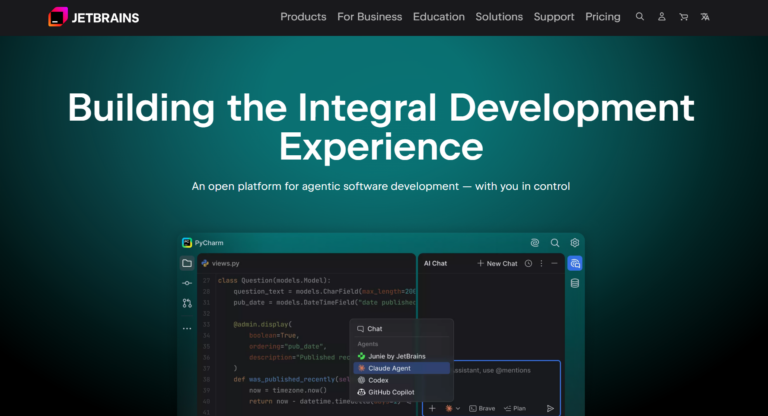
JetBrains AI Assistant is built directly into IntelliJ IDEA, PyCharm, WebStorm, Rider, and the rest of the JetBrains IDE lineup, rather than existing as a separate editor or CLI. Autocomplete, chat, and refactoring all run in the same window developers already use, with no extension to configure.
JetBrains offers a free tier, but its monthly AI-action quota is small enough that anyone looking for a free option will hit the ceiling within days of daily use and move to AI Pro at $10/month (10 AI credits) or AI Ultimate at $30/month (35 credits). Note that this is the AI subscription only: you also need a JetBrains IDE, and paid IDEs are billed separately, for example IntelliJ IDEA Ultimate at $199 for the first year or the All Products Pack at $299, which includes AI Pro-level credits. User reviews on G2 and Capterra describe the underlying suggestions as competent but note the assistant lags Claude Code and OpenAI Codex on agentic, multi-file edits, a gap that matters most for teams doing large refactors rather than line-by-line completion.
Why it ranks #5: 9% of developers use it at work, and AI Pro costs just $10/month, but it only makes sense if you already work in JetBrains IDEs, which are sold separately.
Pros
- Native integration across the entire JetBrains IDE family, not a bolt-on extension
- Free tier available for developers testing basic autocomplete suggestions before paying
- Consistent UI and shortcuts for anyone already fluent in a JetBrains IDE
Cons
- AI Pro's 10 monthly credits run out fast with heavy agent use, pushing frequent users to AI Ultimate at $30/month
- Free quota is too restrictive for daily professional use
- Agentic capability trails Claude Code and OpenAI Codex on complex, multi-file tasks
6. Devin
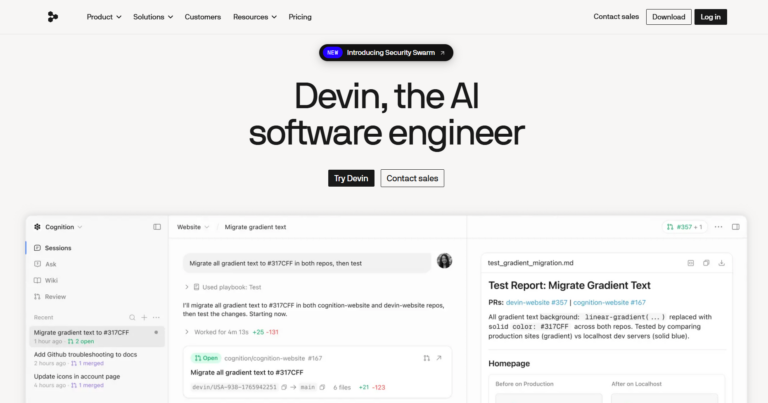
Devin is Cognition’s autonomous coding agent, positioned less as an in-editor assistant and more as a remote engineer that takes a ticket and works it end to end. It sets up its own environment, writes code, tests changes, and reports back, which fits teams comfortable delegating a defined task rather than pairing line by line.
Devin Pro is priced at $20/month, putting it close to Claude Pro and Replit Core rather than the enterprise-only tier some early coverage implied. Independent write-ups describe results as inconsistent on ambiguous tickets, stronger on well-scoped bugs and small feature additions with clear acceptance criteria.
It suits teams triaging backlog work, not developers wanting constant IDE-integration feedback like Windsurf or Cursor provide.
Why it ranks #6: it’s strong at fully delegated tasks for $20/month and now has a free plan, but there’s no large-scale adoption data showing how it holds up across teams.
Pros
- Runs tasks asynchronously without needing step-by-step supervision
- Sets up its own dev environment and tests before reporting back
- Priced at $20/month, more accessible than its original enterprise-only framing
Cons
- Reportedly inconsistent on vague or poorly scoped tickets
- Less useful if you want tight IDE integration for real-time editing
- Newer track record than agentic rivals like Claude Code or OpenAI Codex
7. Amazon Q Developer
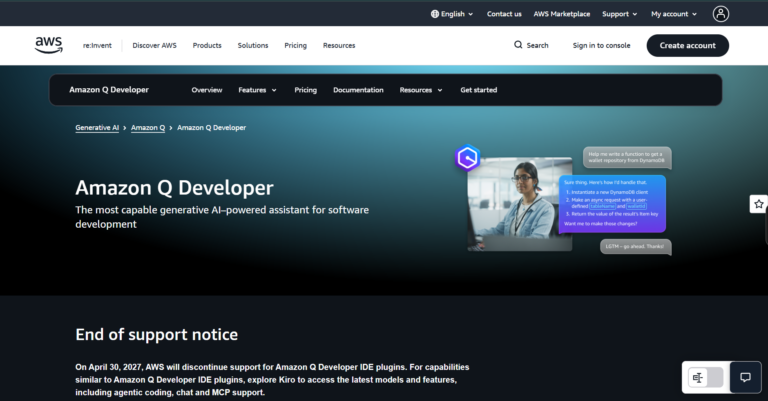
Amazon Q Developer is AWS’s coding assistant, and its clearest advantage shows up for teams already building on AWS. It also plugs into JetBrains IDEs such as IntelliJ IDEA and PyCharm. It plugs directly into AWS services like Lambda, S3, and CloudFormation, generating code that references real resource names from a connected account instead of generic placeholders.
The Pro tier costs $19/month and adds unit test generation plus code transformation features aimed at migrating legacy Java applications. Independent reviews through 2026 describe it as narrower in scope than Claude Code or OpenAI Codex, best suited to shops already committed to the AWS ecosystem rather than general-purpose agentic coding.
Why it ranks #7: it’s the natural pick for AWS-heavy teams, with admin controls and IP indemnity on the $19 per user Pro tier, but it’s less compelling outside AWS.
Pros
- Deep, native awareness of AWS resources and account configuration
- Strong JetBrains IDE integration for IntelliJ and PyCharm users
- Includes automated code review and security scanning features
- Java version upgrade tooling reduces manual migration work
Cons
- Less useful outside AWS-centric codebases
- Weaker multi-file code edits compared to top agentic tools on this list
- Smaller independent review base than Copilot or Cursor
8. Augment Code
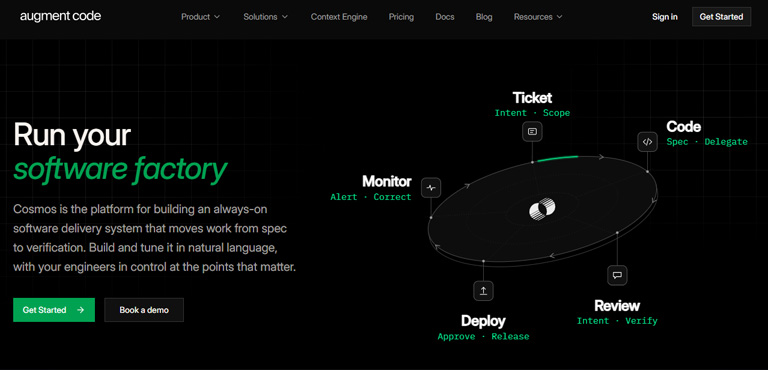
Augment Code takes a different approach to enterprise coding by centering everything on codebase indexing rather than chat-first prompting. It builds a persistent map of an entire repository, including dependencies and cross-file references, before suggesting edits, which independent reviewers have flagged as a stronger fit for large monorepos than tools that reason file-by-file.
The Standard plan costs $20/month flat for a whole team of up to 50 seats, with $20 of usage included, and Business costs $100/month flat with $100 of usage included. Extra usage is billed as pay-as-you-go top-ups, so the flat price is a floor, not a cap. It plugs into VS Code and JetBrains IDEs directly, so teams don’t need to change editors to adopt it, and its automated code review flags cross-file breakage that narrower autocomplete suggestions tend to miss.
Where it lags is agentic autonomy. User reviews generally rank its multi-file code edits as reliable but less independent than Devin or Claude Code when tasks span many steps without checkpoints.
Why it ranks #8: its codebase context engine is excellent for large repositories and flat team pricing is cheap to start, but the company now targets teams rather than solo developers.
Pros
- Deep repository-wide indexing improves context on large codebases
- Works inside existing VS Code and JetBrains setups
- Catches cross-file breakage during automated code review
- Flat team pricing with pooled usage, though LLM usage carries a 40% service fee on top of API list prices
Cons
- $20/month is double GitHub Copilot's entry price
- Smaller plugin and integration ecosystem than Cursor
- Multi-step agentic tasks need more human checkpoints than top-ranked rivals
9. Replit Agent
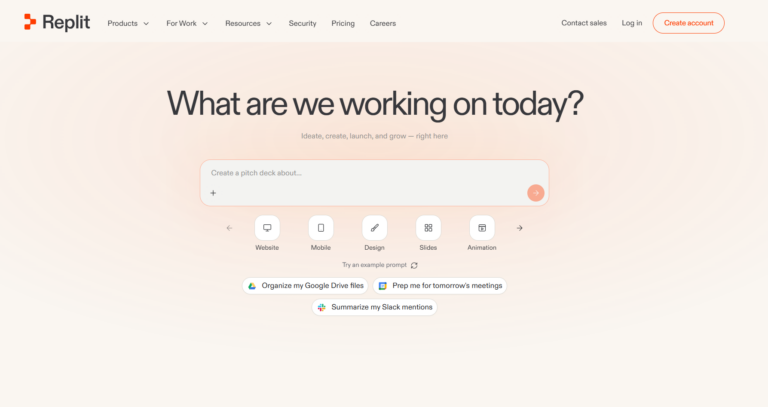
Replit Agent works entirely in the browser, turning a plain-language prompt into a running full-stack app with a database, backend, and deployed front end. Nothing to install, no terminal to configure, making it the most approachable AI coding assistant for beginners on this list rather than a tool for engineers refining a large codebase.
It handles a first project well: a CRUD app, an internal dashboard, or a simple booking tool, going from idea to shareable link in one sitting. That’s a different pitch from Devin’s ticket-driven model or Cursor’s editor-first workflow. The tradeoff appears on larger, multi-service apps, where generated code reportedly gets harder to hand off to a traditional IDE and multi-file edits become less reliable than in editor-native tools.
Why it ranks #9: it’s the easiest route from idea to a deployed app for beginners, but it’s built around Replit’s own environment rather than your existing codebase.
Pros
- No local setup; runs fully in the browser
- Generates a working full-stack app, not just code snippets
- Handles hosting and deployment automatically
- Low barrier to entry for non-developers
Cons
- Weaker fit for large, established codebases
- Less precise than IDE-native tools on complex multi-file changes
- Ties workflow to Replit's own environment rather than a standard IDE
10. Tabnine
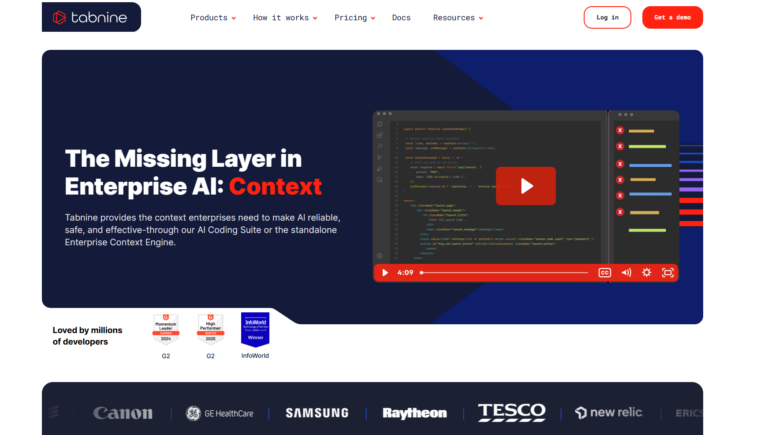
Tabnine takes a narrower, older-school approach than most tools on this list: it’s built around private, on-prem code completion rather than agentic multi-file edits. That focus makes it less a rival to Claude Code or OpenAI Codex and more a fit for regulated teams that need a code completion tool running entirely inside their own infrastructure, with no code leaving the network.
At $39/user/month for its Code Assistant tier, Tabnine is priced for enterprise security compliance rather than solo developers chasing agentic features. Independent reviewers through 2026 generally describe its autocomplete suggestions as solid but behind newer options like Cursor or Windsurf in raw capability.
Buyer note: Tricentis, a software testing company, acquired Tabnine on July 30, 2026. Tabnine’s listed prices were unchanged at the time, but its pricing page now redirects to Tricentis with no public price listed. The last published prices were $39/user/month (Code Assistant) and $59/user/month (Agentic Platform), both on annual contracts, so expect a sales conversation before you can buy.
Why it ranks #10: it’s still a go-to for private, self-hosted deployment, but at $39 per user on an annual contract, with sales-led buying after the Tricentis acquisition, it’s a niche enterprise choice.
Pros
- Supports fully air-gapped, on-prem deployment for strict compliance environments
- Strong IDE integration across major editors
- Predictable flat pricing with no credit-based billing to track
Cons
- Reportedly lags behind agentic tools on multi-file code edits and autonomous task planning
- Less suited to teams wanting a full AI pair programmer for complex refactors
- Smaller feature set compared to Devin or Kiro for end-to-end task delegation
Free AI Tools for Coding
You can start with AI coding without paying. These tools have a free plan, though every free tier caps usage, and daily agentic work usually means upgrading:
- GitHub Copilot Free: limited completions and chat inside VS Code, JetBrains IDEs, and more. Pro is $10/month.
- OpenAI Codex: limited use on ChatGPT’s free plan. ChatGPT Go at $8/month raises the limits.
- Cursor Free: limited agent and chat requests in Cursor’s editor.
- Amazon Q Developer Free: the free tier covers code suggestions and chat in supported IDEs.
- JetBrains AI Free: 3 AI credits a month inside JetBrains IDEs.
- Devin Free and Replit both offer a light free quota for trying their agents.
Two more free options sit outside this top 10: Google Antigravity, an agent-first editor that is $0, and Cline, an open-source VS Code extension where you pay only for the model you connect. Both are covered in our Cursor alternatives guide. Claude Code is the one top tool with no free plan; it starts with Claude Pro at $20/month.
Which AI Tool for Coding Fits Your Situation?
The right pick depends on your setup and risk tolerance more than any feature checklist. Here’s how the field breaks down by real buyer scenario.
Absolute beginner
Anyone new to coding gets more out of a tool that builds the whole app rather than one that expects you to already understand project structure. Replit Agent fits that brief since it handles environment setup and deployment automatically, making it the most practical ai coding assistant for beginners on this list.
VS Code loyalist
If you’ve built years of muscle memory in Visual Studio Code, GitHub Copilot or Windsurf slot in without forcing a new editor. Cursor works too, but it’s a separate application, not an extension, which is a bigger switch than it first appears.
Enterprise security team
Compliance-heavy organizations should start with GitHub Copilot Enterprise or Amazon Q Developer Pro, both of which offer IP indemnification. If code must never leave your own network, look at Tabnine’s self-hosted deployment or options like Coder and Sourcegraph Cody, where audit logging and deployment control matter more than raw output speed.
Freelancer on a budget
Solo developers billing clients directly usually get the best return from GitHub Copilot or Amazon Q Developer’s lower-cost tiers, saving the pricier agentic tools for projects that actually need multi-file automation.
AI Tools for Coding FAQ
What is the best AI tool for coding?
Claude Code is the best AI tool for coding overall in 2026. It is the most used AI coding tool at work, by 39% of professional developers in JetBrains’ 2026 survey, and it handles multi-file, agentic tasks well. GitHub Copilot is the best budget pick at $10/month, and Replit Agent is the easiest for beginners.
Are there free AI tools for coding?
Yes. GitHub Copilot, Cursor, Amazon Q Developer, JetBrains AI, Devin, and Replit all have free plans, and ChatGPT’s free plan includes limited OpenAI Codex use. Free tiers cap usage, so daily professional use usually needs a paid plan.
How much do AI tools for coding cost?
Paid plans start at $8/month (ChatGPT Go with Codex, or Cursor Plus) and $10/month (GitHub Copilot Pro, JetBrains AI Pro). Claude Code starts at $20/month with Claude Pro. Heavy-use plans cost $100 to $200/month. Use our AI subscription cost calculator to total several tools.
Is a free AI coding assistant good enough for daily use?
Free tiers cover light autocomplete and small scripts, but most cap agentic tasks and multi-file edits fast. Developers running agentic workflows daily typically hit those caps and move to a paid plan.
What’s the difference between an AI pair programmer and an agentic coding tool?
An AI pair programmer like GitHub Copilot suggests code as you type and waits for approval on each change. An agentic tool plans a task, edits across multiple files, runs tests, and reports back with far less step-by-step input.
Are AI coding assistants safe for regulated industries?
Compliance varies by vendor. GitHub Copilot Enterprise and Amazon Q Developer Pro both publish SOC 2 documentation on their vendor sites, while many smaller agentic tools don’t publish equivalent certification details. Confirm current certifications directly with each vendor before deploying on regulated codebases.
Can you use more than one AI coding assistant at once?
Yes, and many teams pair an in-editor tool like Cursor with an agentic tool like Claude Code for larger refactors. The tradeoff is cost stacking, since each subscription bills separately with its own credit system.
Do these tools replace the need for developers?
No. Even top-ranked agentic tools still need a developer to review pull requests, catch security issues, and make architectural calls. Independent application-security researchers publishing findings through 2026 continue to flag unreviewed agentic code output as an active risk rather than a solved problem, so treat generated pull requests with the same scrutiny as any other contributor’s.
Final Verdict
Picking from the best AI tools for coding in 2026 comes down to how much autonomy you actually want to hand over. Claude Code earns the top spot for its consistent agentic performance across independent reviews, not just its own documentation. Developers on a budget do better with GitHub Copilot, which pairs the lowest entry price on the comparison table above with the deepest IDE reach. Enterprise teams with compliance requirements should look at GitHub Copilot Enterprise or Amazon Q Developer Pro, both of which offer IP indemnification, over flashier options. Beginners are better served by Replit Agent than by any tool that assumes existing project structure.
Sources
Last updated:
- JetBrains Research: AI coding agent adoption 2026: work adoption figures from the Developer Ecosystem Survey 2026
- The Pragmatic Engineer: AI tooling for software engineers in 2026: most-used and most-loved tools
- Claude pricing: Claude Pro price and Claude Code availability
- ChatGPT pricing: ChatGPT Go and Codex access
- Cursor pricing: Plus, Premium, and third-party model billing after the October 2026 change
- GitHub Copilot plans: Pro, Pro+, and Max pricing
- Augment Code pricing: flat team plans and included usage
- Devin pricing: Free, Pro, Max, and Teams plans
- Replit pricing: Core and Pro monthly and annual prices
- Amazon Q Developer pricing: Free and Pro tiers
- JetBrains AI pricing: AI Pro and AI Ultimate plans and credits
- Tabnine: A new chapter: Tricentis acquisition announcement
Leave a Reply