
If you have opened Claude lately, you have probably noticed two names that keep showing up. One is Claude Chat. The other is Claude Cowork. They look similar on the surface. They use the same model. They even sit inside the same app. Yet they behave in very different ways, and picking the wrong one can cost you time, money, and patience.
This guide clears the confusion in plain language. We will look at what each one does, how they are built, when to pick Chat, when to pick Cowork, how they stack up against ChatGPT Agent, and what to watch out for before you move your real work to either of them. By the end you will know exactly which mode fits the job in front of you.
What Is Claude Chat
Claude Chat is the classic conversation window that most people already know. You open it in your browser at claude.ai, type a question or a request, and Claude replies. You can upload a file, paste some text, or ask for a draft. Everything lives inside the chat thread.
The important thing to remember is that Chat waits for you. It answers once, then stops. If you need five steps done, you type five prompts. If you want it to open a file on your computer, it cannot. If you want it to run again tomorrow by itself, it will not.
Chat is great for thinking out loud, drafting content, learning something new, or getting a quick answer. It is included on every plan, including the free one, which makes it the entry point for most new users.
What Is Claude Cowork
Claude Cowork is a different beast. Anthropic launched it as a research preview on 12 January 2026, opened it to all paid plans in April 2026, and then folded it into the main Claude app in September 2026. The feature did not disappear. Only the separate label did. The capability still powers most of the agentic work people do with Claude today.
Cowork is an agent. You give it a goal, not a step. It then plans the work, opens the files it needs, calls the tools it needs, checks its own work, and brings back a finished result. It can read, edit, move, and create files inside folders you grant access to. It can open its own built in browser, click through sites, fill forms, and pull data. It can run on a schedule. It can keep working while you close your laptop and walk away.
Under the hood, Cowork sits on the Claude Agent SDK, the same foundation that powers Claude Code. The difference is the interface. Claude Code was built for people who live in a terminal. Cowork was built for everyone else: marketers, analysts, writers, finance teams, operators, lawyers, and founders who want work done without writing commands.
The Core Difference in One Line
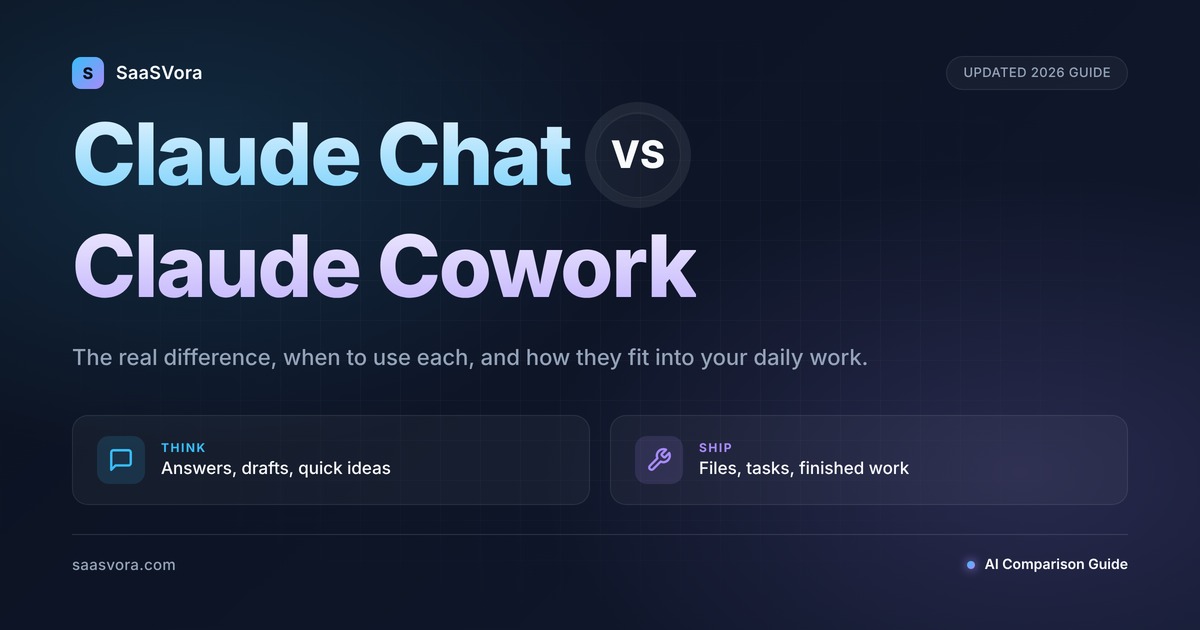
Chat gives you an answer. Cowork gives you the finished work.
Chat is a very smart advisor sitting in a window. Cowork is a very smart teammate who actually opens the files, fixes the spreadsheet, writes the report, uploads the images, and emails the link when the job is done.
Side by Side Comparison
| Area | Claude Chat | Claude Cowork |
|---|---|---|
| Main job | Talking, writing, thinking | Doing multi step tasks and producing deliverables |
| Your role | Prompt every turn | Set the goal, review the result |
| File access | Only files you upload in the thread | Reads, edits, creates files in folders you connect |
| Tools | Connectors that bring info into the chat | Connectors plus a built in browser plus local scripts |
| Scheduling | None | Daily, weekly, monthly recurring tasks |
| Where it runs | Any browser, phone, or desktop | Cloud, or your desktop app for local files |
| Plan | Free and all paid plans | Paid plans only (Pro, Max, Team, Enterprise) |
| Token usage | Lower | Higher since it plans, acts, and checks itself |
| Best outcome | A good answer or draft | A completed job in your files or accounts |
When to Use Claude Chat
Use Chat when the answer lives inside your head and you just need help shaping it.
Think of the moments when you are at your keyboard and you want a quick back and forth. You want to brainstorm a few headline ideas. You want to understand a confusing policy document you just uploaded. You want to turn three bullet points into a polite email. You want a second opinion on a pricing strategy. You want to ask why your code is throwing an error. Chat is built for all of that.
Pick Claude Chat when:
- You want a one off answer, not a finished deliverable.
- You are writing or editing text and want to stay in control of each sentence.
- You are brainstorming, planning, or learning.
- You are on the free plan or want to save on usage.
- You want to work from a phone or a shared computer without installing anything.
- The task does not touch files outside the chat window.
A simple test: If you can finish the job by reading Claude’s reply and copying some of it, Chat is the right tool.
When to Use Claude Cowork
Use Cowork when the job is long, repetitive, spread across many files, or needs to happen without you watching.
A good way to picture it is this. If you were going to hire a smart intern for an afternoon, what would you ask them to do? Clean up a messy Downloads folder? Pull numbers out of twenty PDF invoices and build a spreadsheet? Read a stack of contracts and mark the ones that mention arbitration? Post the weekly performance update to Slack every Monday morning? Those are Cowork jobs.
Pick Claude Cowork when:
- The output is a file, a set of files, or an action in another app.
- The work has many steps and would be boring to supervise.
- You want it to run on a schedule or while you are away.
- You have a folder of documents and you want results from all of them, not just one.
- You want Claude to click, fill, and submit inside a web app without you doing it.
- You want the same task repeated every day, week, or month with fresh data.
A simple test: If finishing the job means opening files, clicking buttons, or updating accounts, Cowork is the right tool.
Real World Examples, Side by Side
Here are the kinds of jobs we see teams handing to each mode.
Claude Chat handles:
- Drafting a product launch email you will send yourself.
- Turning a long meeting transcript into a short recap.
- Explaining a legal clause in plain English.
- Comparing two marketing angles and giving reasons for each.
- Writing a cover letter from your resume.
- Teaching you how a new tool works.
Claude Cowork handles:
- Sorting a Downloads folder with 186 files, finding duplicates by content, and renaming the generic ones.
- Converting twenty one Word files to PDF, compressing them, and saving them to a shared folder.
- Reading a database backup, pulling fourteen months of expenses, and building a ten page PDF report with charts.
- Logging into an ad platform and adjusting bids, copy, or targeting across campaigns.
- Running a weekly pipeline report that pulls data from your CRM every Monday at 9 am.
- Unsubscribing from newsletters and clearing out old emails.
- Building a WordPress page, configuring SEO settings, and uploading the hero image.
The second list is the important one. Every item there would take a person an hour or more. Cowork does them while you work on something else.
Can You Use Chat and Cowork Together
Yes, and this is where most power users find the real value.
The pattern is simple. Chat is for thinking. Cowork is for doing.
Start in Chat when the shape of the work is still fuzzy. Brainstorm the structure of a report. Decide which metrics matter. Draft the voice and tone you want. Agree on the folders you want touched. Once the plan is clear, hand it to Cowork. Ask Cowork to pull the numbers, build the pages, update the files, and save the finished work where you want it.
Since September 2026, Anthropic has merged the two modes inside the main Claude app, so Claude now decides per request whether a quick answer or a longer job is called for. You still have the choice when you want it. You just do not have to pick a lane for every message.
Claude Cowork vs ChatGPT Agent
People often ask how Cowork stacks up against ChatGPT Agent (sometimes called ChatGPT Work or ChatGPT agents). Both are agentic tools. Both can browse the web, use tools, and complete multi step jobs. The differences are real, and they matter.
Where they are the same:
- Both plan, act, and check their own work.
- Both can use a built in browser to click and fill forms.
- Both can read files you give them.
- Both run on a paid plan.
Where Cowork is stronger:
- Local files. Cowork reads, edits, and saves files directly inside folders on your Mac or Windows PC. ChatGPT Agent lives in the cloud and does not reach into your local file system in the same direct way.
- Transparency log. Cowork shows you every file it opened and every tool it called. You can audit the run later.
- Scheduled jobs. Cowork makes recurring tasks easy to set up.
- Enterprise controls. Cowork offers role based access, group spend limits, per tool permissions, and OpenTelemetry audit events for admins.
- Live artifacts. Cowork can produce a dashboard or report that re runs its own code each time you open it, so the numbers stay fresh.
Where ChatGPT Agent is stronger:
- Operating system reach. On supported setups, ChatGPT can hook deeper into desktop apps.
- Image and video generation. OpenAI still leads in native image and video output, though Claude relies on plugins and skills for those outputs.
- Browsing feel. ChatGPT Agent can feel snappier on open web tasks where the target site is tricky.
For teams that already live inside Microsoft 365, Google Drive, Slack, Notion, Jira, and Salesforce, Cowork tends to feel at home faster because its connector library focuses on the tools knowledge workers already use. For solo users who mostly browse the public web and want a chat first feel, ChatGPT Agent is still a strong option.
Pricing: What You Pay for Each
Pricing changes often, so treat these numbers as a snapshot. Always confirm on the Anthropic site before you commit.
Claude Chat is included on every plan, including the free one. If you only ever need quick answers and drafts, you may never need to pay.
Claude Cowork needs a paid plan.
- Pro starts at around $17 per month if you pay yearly, or $20 per month if you pay monthly. This is the entry point for individuals.
- Max starts at $100 per month and goes up to $200 for heavier users.
- Team plans start around $25 to $30 per seat per month depending on tier.
- Enterprise is custom, with volume pricing and extra security controls.
All three modes (Chat, Cowork, Code) share one usage pool. If you run many long Cowork jobs, you may hit limits faster, so plan ahead for heavy weeks.
Limits and Things to Watch
Cowork is powerful. Power asks for care. Here is the honest picture.
Watch the prompt injection risk. A malicious page or document can try to sneak instructions past the agent. Anthropic has built defenses, but the risk is not zero. Do not point Cowork at random files from the internet or let it log into accounts that hold money you cannot afford to lose.
Review before you let it act. Cowork shows you a plan before major steps. Read the plan. Approve or edit it. Start with low stakes folders before you point it at live accounts.
Scheduling is still simple. Right now you get daily, weekly, and monthly schedules. There are no event triggers, no task dependencies, and no retry rules. For heavy automation, you may still need a tool like Zapier or n8n alongside Cowork.
Local tasks need the desktop app open. If your job touches files on your Mac or Windows PC, the Claude desktop app must be running. Cloud only tasks can run without it.
Terms of service. Automating a third party site may break its rules. Check before you set up a recurring scrape or post job.
Shared usage limits. Chat, Cowork, and Code all draw from the same allowance on paid plans. If one team member runs heavy Cowork jobs, others may feel the squeeze.
No free tier. If you want to test Cowork before paying, you cannot. The Pro plan is the minimum.
Which One Is Right for You
Here is a simple way to decide in under a minute.
Pick Claude Chat if you:
- Want fast answers and drafts.
- Work mostly inside the chat window.
- Are on the free plan or want to save on usage.
- Prefer to stay hands on with every sentence.
Pick Claude Cowork if you:
- Want finished work, not just advice.
- Have folders of files that need processing.
- Want recurring tasks to run on a schedule.
- Work across many apps and want one agent to handle the loop.
- Need a trail of what the agent did, for audit or review.
Pick both if you:
- Do knowledge work that mixes thinking and doing.
- Want Chat for shaping ideas and Cowork for shipping them.
Most teams land in the last group within a few weeks of trying both.
Common Questions (FAQ)
Is Claude Cowork better than Claude Chat?
Neither is better overall. They solve different problems. Chat is best for quick thinking and drafting. Cowork is best for finishing multi step work on real files.
Does Cowork replace Chat?
No. In September 2026, Anthropic merged the two into one Claude interface, so you no longer switch between tabs. The chat style conversation still exists for quick replies. The agent style execution still exists for longer jobs. Claude picks the right mode based on what you ask.
Can Claude Cowork work without my computer being on?
For cloud only tasks, yes. For jobs that need your local files or your browser, your desktop app must be open. Scheduled cloud tasks can run at any time.
Is Cowork safe to use with sensitive data?
Treat it like a new hire. Give it only the folders it needs. Keep it away from payment pages, banking logins, and anything irreversible. Review its plan before you approve big actions. Enterprise plans add role based access and audit logs for extra control.
Can I use Claude Cowork on my phone?
You can assign tasks and check results from your phone. Tasks that need your local files or the Claude built in browser still run on your desktop. The desktop needs to be online for those.
How much does Claude Cowork cost on top of Claude?
Nothing extra. It is included on paid Claude plans. The price you pay for Pro, Max, Team, or Enterprise covers Chat, Cowork, and Claude Code.
Can Claude Cowork read my Google Drive and Gmail?
Yes, through connectors. Google Drive, Gmail, and Google Calendar are generally available. Microsoft 365, Slack, Notion, Jira, Salesforce, Asana, and others are supported as well.
Does Claude Cowork work on Linux?
The desktop app supports macOS and Windows. Linux users can still use the web and cloud features but will not get the full local file workflow.
Is Claude Cowork the same as Claude Code?
They share the same engine but live in different places. Claude Code is for developers inside a terminal. Cowork is for everyone else inside a chat style window. If you work in a codebase with Git, use Code. If you work in files, apps, and spreadsheets, use Cowork.
How is Claude Cowork different from ChatGPT Agent?
Both are agents. Cowork is strong on local file work, transparency logs, and enterprise controls. ChatGPT Agent is strong on image and video generation and some open web browsing. For teams on Microsoft 365, Google Workspace, or Slack heavy stacks, Cowork usually fits better.
When should I move from Chat to Cowork?
Watch for a signal. If Chat keeps telling you to do steps in another app or another file, that is the moment to switch. Hand the same goal to Cowork and let it do the clicks for you.
Final Thoughts
Claude Chat and Claude Cowork are not rivals. They are two sides of the same tool. Chat is where you think. Cowork is where you ship. When you learn to move between them, your workday starts to feel lighter in a way that is hard to describe until you live it.
If you are still on the free plan and only use Chat, you are getting real value. But the moment you find yourself copying steps from Claude’s reply into another app, consider Pro and let Cowork handle those steps for you. The hour you save on the first task often pays for the month.
Start small. Pick one messy folder, one weekly report, or one repetitive form. Let Cowork prove itself. Then grow the list of jobs you hand off. That is how most teams find their rhythm with it.
If you want help picking the right plan, setting up your first Cowork job, or building SEO content, workflows, and automations around Claude, our team at SaaSVora is a message away.
Leave a Reply