
In the Antigravity vs Cursor debate, there’s no single winner: Cursor combines an editor-first workflow with Agent, Composer, and Cloud Agents, while Google Antigravity is built around agent-first task execution. The better choice depends on whether you prioritize direct code editing and workflow control or broader AI-assisted task delegation. Antigravity has a free Individual plan, with Google AI Pro at $19.99/month as its main paid tier, while Cursor’s paid plans now start at $8/month and run $30/month (Premium) if you want Claude, GPT, or Gemini models.
A comparison of Google Antigravity, Cursor, and Claude Code on real Python projects rated Cursor best for speed, Claude Code best for reliability, and Antigravity best for initiative on multi-step work, a split that matters more than either vendor’s marketing page admits. Since October 12, 2026, Cursor’s plans are part of The X Subscription: Plus costs $8/month for Cursor and Grok models, and Premium costs $30/month, with Claude, GPT, and Gemini billed at API rates from prepaid credit.
| Tool | Best For | Price | Standout feature |
|---|---|---|---|
| Google Antigravity | Developers who want an autonomous coding agent to handle multi-step tasks | Free Individual plan | Agent initiative on complex tasks |
| Cursor | Developers who want precise, editor-level control over each code change | Plus $8/month; Premium $30/month | Speed of code generation |
Antigravity vs Cursor: Quick Answer
- Choose Antigravity if you want an agent-first coding workflow that can take broader development tasks and work through multiple steps.
- Choose Cursor if you want an editor-first experience with inline editing plus Agent, Composer, and Cloud Agent workflows. Antigravity has a usable free tier and Google AI Pro at $19.99/month, while Cursor now starts at $8/month and costs $30/month for Claude and GPT models.
What Is Google Antigravity?
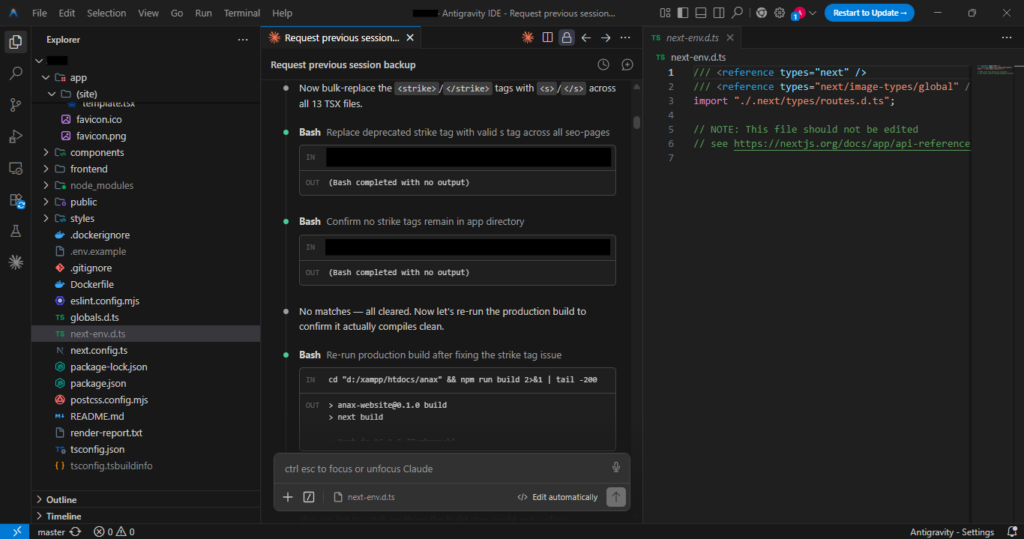
Google Antigravity is Google’s agentic coding platform, built around an editor forked from Visual Studio Code and a task-execution model that plans, writes, tests, and revises code with minimal step-by-step prompting. Google Antigravity is built around an agent-first development workflow that lets developers delegate multi-step coding tasks, monitor agent activity, and review the resulting changes.
What separates this platform from a standard AI pair programmer is its handling of multi-step work. Instead of generating one function at a time, it can accept a higher-level goal, break it into a task list, execute across multiple files, and report back through an activity log rather than a single chat reply. That structure puts it closer to autonomous coding agents like Claude Code or Kiro than to inline-completion tools such as GitHub Copilot.
Independent developer forum threads suggest the appeal is less about raw output quality and more about how much unsupervised work it can complete before a human needs to intervene, a tradeoff worth understanding before judging any google antigravity review against a traditional editor’s feature list.
Pros
- Handles multi-file, multi-step tasks without constant re-prompting
- Built on a familiar VS Code-based interface, easing the learning curve
- Task activity log gives visibility into what the agent changed and why
Cons
- Recent rebrand from Agent Manager means less long-term track record than established rivals
- Autonomous execution model can outpace a developer’s ability to review changes carefully
- Newer platform status means fewer mature third-party integrations compared to established editors
What Is Cursor?
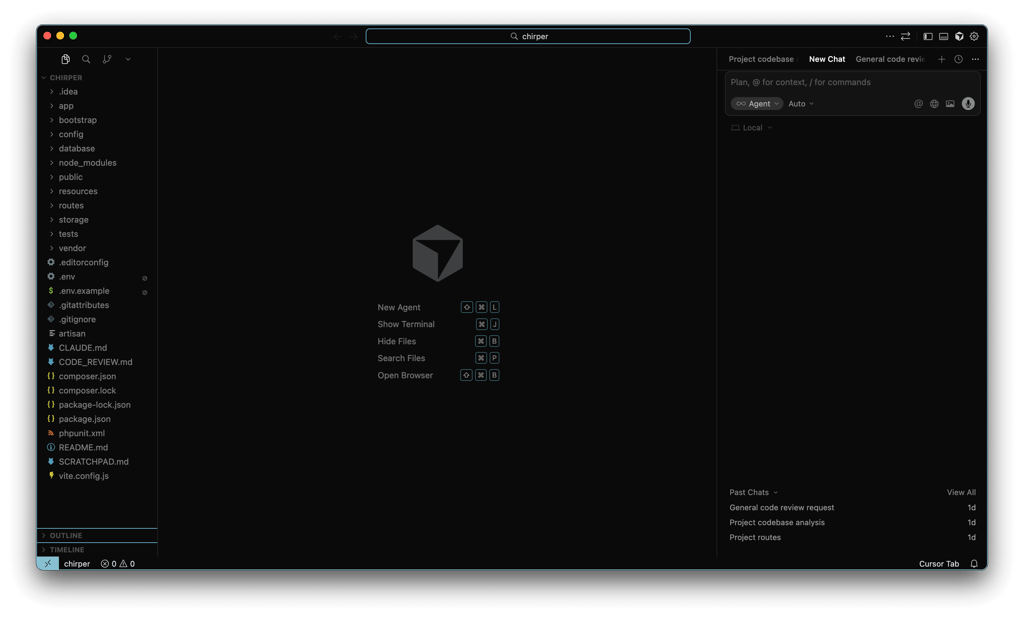
Cursor is a code editor forked from Microsoft’s VS Code, built specifically around AI-assisted development rather than bolting AI onto an existing workflow. Where the antigravity vs cursor vs vscode comparison usually starts is here: standard VS Code needs an extension like GitHub Copilot for AI completions, while this editor ships with multi-model chat, inline editing, and codebase-aware autocomplete built into the core product.
The editing model centers on fast, line-by-line and function-level suggestions rather than long autonomous task runs. Developers pick from several underlying models, including Anthropic’s Claude family, and switch between them mid-session depending on whether a task needs quick completions or deeper reasoning. That model choice, paired with a large context window for reading existing files, is what earned it a reputation as a precision tool for developers who want to stay in the loop on every change.
It’s best suited to developers who already think in terms of diffs and pull requests and want an AI pair programmer that speeds up typing without taking over architecture decisions. Its combination of AI-assisted editing, codebase context, and agent features makes Cursor a common reference point when developers compare AI coding tools.
Pros
- Deep VS Code compatibility, so existing extensions and keybindings carry over
- Fast, accurate inline code completion for line-by-line editing
- Choice of underlying models, including Claude, switchable per task
- Mature product with years of iteration behind its autocomplete engine
Cons
- Less suited to fully autonomous, multi-step task execution than agent-first tools
- Heavy reliance on paid usage for larger codebases and longer sessions
- Some Trustpilot reviewers report frustration despite the product’s AI integration claims
Antigravity Pricing, Download, and Cursor Usage Limits (Updated October 2026)
Both tools changed their pricing this year, so older comparisons (including earlier versions of this one) quote numbers that no longer apply. Google reworked Antigravity’s plans in May 2026, and on October 12, 2026, Cursor moved its plans into The X Subscription, a bundle with Grok and X Premium. Here is where things stand, using US list prices checked on October 22, 2026. Google shows local prices in other countries, so the number you see may differ.
| Plan level | Google Antigravity | Cursor |
|---|---|---|
| Free | Individual, $0/month: weekly rate limits and unlimited Tab completions | Free, $0/month: a starter allowance for Cursor’s coding agents |
| Cheapest paid | Google AI Plus, $4.99/month: agent requests still limited | Plus, $8/month: Cursor and Grok models only |
| Main paid plan | Google AI Pro, $19.99/month: higher rate limits and a flexible AI credit pool | Premium, $30/month: adds cloud agents; Claude, GPT, and Gemini billed at API rates from prepaid credit |
| Heavy use | Google AI Ultra, $99.99/month (5x Pro) or $199.99/month (20x Pro) | Super, $100/month, or Ultra, $200/month |
| Teams | Business plan through Google Cloud | Teams plan, from $30 per user/month |
The practical difference: Antigravity’s free tier is genuinely usable for trying agent workflows, and its $19.99 Pro plan comes bundled with the rest of Google’s AI subscription. Cursor’s cheapest plans are good value if you’re happy with Cursor’s own and Grok models, but if your workflow depends on Claude or GPT models, budget for Premium at $30/month plus API usage. Existing Cursor Pro subscribers on the old $20/month plan can keep it for now.
Antigravity itself is a free download for Windows, macOS, and Linux; you only pay through a Google AI plan if you need more than the free weekly limits.
Architecture and Feature Depth: Agentic Autonomy vs Precision Editing
The real split between Google Antigravity and Cursor isn’t pricing, it’s philosophy. Antigravity takes a task, breaks it into steps, writes code, runs tests, and revises its own output with limited human checkpoints. Cursor combines inline editing with Agent, Composer, and Cloud Agent workflows, allowing developers to choose between granular code changes and broader delegated tasks.
Cursor and Antigravity both support agentic coding, but they emphasize different workflows. Antigravity is built around an agent-first experience where developers can delegate broader tasks and review the agent’s progress. Cursor combines its editor-first workflow with Agent, Composer, and Cloud Agents, giving developers multiple ways to move from inline edits to larger autonomous tasks. The practical difference is therefore less about whether either tool has AI agents and more about how much control, context, and workflow integration a developer wants during a task.
| Criterion | Google Antigravity | Cursor | Claude Code |
|---|---|---|---|
| Interaction model | Autonomous multi-step agent | Editor-first with Agent and Cloud Agent workflows | CLI-driven agent |
| Editor base | VS Code fork | VS Code fork | No editor, terminal-based |
| Documented strength | Initiative on complex tasks | Fast editing with flexible agent workflows | Multi-step correctness |
Ease of Use and Learning Curve
For day-one usability, whether Cursor is better than Antigravity comes down to what “easy” means to you: familiar inline editing favors the veteran editor, while task-based autonomy favors Google Antigravity once you accept a different workflow. Both fork the same open-source editor shell, but the mental model each demands is different.
Because Google Antigravity and Cursor both build on the same VS Code base, developers already using GitHub Copilot can open either tool and find the file tree, command palette, and keybindings in familiar places. The friction shows up after install: a thread on Google’s own developer forum flags an installer issue that overwrites the user’s default IDE executable without a clear opt-out, a complaint covered in more detail in the complaints section below.
Cursor’s onboarding stays linear: install, sign in, start typing, and inline suggestions appear immediately. Antigravity’s agent-first flow, describing a task and watching it plan and execute, takes longer to trust, since you’re reviewing multi-step output instead of accepting single-line completions. G2’s alternatives page frames Cursor as suited to teams that want fast, assisted code completion, a positioning that lines up with that onboarding gap.
| Criterion | Google Antigravity | Cursor |
|---|---|---|
| Setup friction | Forum-reported installer conflict with default IDE | Standard install, sign-in, immediate use |
| UI familiarity | High (VS Code fork) | High (VS Code fork) |
| Day-one workflow | Task/agent review model, steeper initial curve | Inline suggestion model, minimal ramp-up |
| Independent positioning | Trustpilot shows a 1.9/5 “Poor” rating from 30+ reviews, on a profile Google hasn’t claimed or responded to | Trustpilot page shows 250+ reviews; G2 positions it for fast, assisted coding |
Pros
- Both editors reuse a VS Code-style layout, so existing keybindings and extensions largely carry over
- Cursor’s inline-suggestion workflow requires almost no ramp-up for developers used to Copilot-style tools
- Antigravity’s task view gives a readable log of agent actions, helping beginners follow agentic coding without reading raw diffs
Cons
- Google’s developer forum documents an installer issue that overwrites the user’s default IDE executable without asking, detailed further in the complaints section below
- Reviewing and correcting an autonomous agent’s multi-step output takes longer to learn than accepting single-line completions
- New users trading speed for agent oversight face a real adjustment period, not just a preference difference
Reliability, Maturity, and What Users Actually Complain About
Most documented complaints about Google Antigravity aren’t about missing features. They’re about the install process and inconsistent results. On Google’s own AI developer forum, one user described Antigravity’s installer taking over their default IDE’s executable, the IDE stopped opening altogether and launched Antigravity instead every time. Several people in that same thread said they were done with the tool and switching elsewhere (Google AI Developer Forum). Antigravity’s own Trustpilot page backs this up: a 1.9-star “Poor” rating from 30+ reviews, describing crashes mid-task, credits draining after a few prompts, and usage limits changing without warning. Worth noting the profile is unclaimed, meaning Google hasn’t responded to or verified any of it (Trustpilot).
Cursor isn’t complaint-free either. Its Trustpilot reviews include repeated reports of output quality dropping over time, even as the product keeps marketing its AI integration (Trustpilot). In one independent hands-on comparison of Python projects, the tester rated Cursor strongest for editing speed, Claude Code strongest for reliability, and Antigravity strongest for initiative. This is a single test rather than a controlled industry benchmark, so the results are best treated as directional rather than definitive.
Pros
- Antigravity offers a free option, while its paid AI Pro plan adds higher limits and a flexible AI credit pool.
- Cursor still tests fastest for quick, inline edits in independent Python-project comparisons
- Both tools generate real, active public discussion, a sign people are actually using them day to day
Cons
- Antigravity’s installer has reportedly overridden a user’s default IDE executable without clear warning
- Cursor reviewers report inconsistent output quality despite the product’s AI integration claims
- Neither tool topped every category in independent testing, so consistency remains a shared weak spot
Best Cursor Alternatives If Neither Tool Fits
Not everyone needs an autonomous agent, and not everyone wants to hand-edit every line either. GitHub Copilot, Claude Code, and Codex, offer different approaches to AI-assisted development, from inline suggestions to delegated coding tasks. For seven options with current prices, see our Cursor alternatives guide.
GitHub Copilot is the one most developers already know. It lives inside VS Code, JetBrains, and most mainstream editors, so there’s no new interface, just better autocomplete in the editor already open. It’s the least agentic of the group, which is the appeal for teams that want faster typing, not a new workflow.
Claude Code runs primarily in the terminal, with IDE and web versions available, and is built for handing off a full task, a refactor, a migration, a bug spanning a dozen files, instead of suggesting one line at a time.
Codex is OpenAI’s coding agent for delegating software-development tasks, with workflows that can execute tasks in isolated environments and return changes for review.
None of these four directly replace Cursor or Antigravity. Copilot suits developers who don’t want to change their workflow at all. Claude Code, and Codex suit people delegating real chunks of work rather than accepting inline suggestions one at a time.
Which One Should You Choose?
The antigravity vs cursor 2026 verdict comes down to workload, not brand loyalty. Solo developers on a tight budget generally get more mileage from Antigravity’s free access, while teams that lean on fast inline edits and need documented compliance still have reasons to pay for the rival editor. Neither pricing model nor reliability record makes one tool universally better, as the sections above show.
| Category | Winner | Why |
|---|---|---|
| Best free tier | Antigravity | Free Individual plan with weekly agent limits and unlimited Tab completions |
| Main paid plan price | Antigravity | Google AI Pro at $19.99/month vs. Cursor Premium at $30/month (plus API usage for Claude, GPT, and Gemini) |
| Editing speed | Cursor | Strong inline editing and Composer workflow |
| Autonomous task completion | Antigravity | Agent-first workflow is designed for multi-step task execution |
| Model flexibility | Tie | Both provide access to multiple frontier AI models |
| Enterprise/team tooling | Cursor | Mature team administration, usage analytics, SSO, and governance features |
Choose Antigravity if…
- you want access to multiple AI models and flexible agent-based development
- you’re comfortable troubleshooting an early-stage installer
- you value autonomous task completion over polished inline editing
Choose Cursor if…
- your team needs SOC 2 Type II documentation for procurement
- fast, precise line-by-line editing matters more than task automation
- you’re willing to pay for a more mature, predictable product
Teams that prioritize mature governance and editor-centric workflows may prefer Cursor, while developers who prioritize agentic task execution and a lower-cost paid plan may prefer Antigravity. Try Cursor’s free tier or Antigravity’s free access first. Either lets you test workflow fit before any money changes hands.
FAQ
Is Cursor better than Antigravity?
Neither editor wins outright. One independent tester on real Python projects found Cursor fastest for raw editing speed and Antigravity strongest on autonomous initiative, according to a hands-on comparison published on Plain English. Which one is “better” depends on whether you’re optimizing for speed or for tasks completed with minimal supervision.
Is Google Antigravity completely free right now?
Google Antigravity offers free access as well as paid plans. Google AI Pro costs $19.99 per month, with additional model access, more generous rate limits, and a flexible AI credit pool. Because plan limits and pricing can change, users should check the current Antigravity plan details before subscribing.
Can I use Antigravity and Cursor side by side?
Nothing technically stops you from installing both, since they’re separate VS Code forks rather than plugins for the same base editor. Whether that’s worth the setup, no independent survey data breaks down how developers actually split work between the two, so treat dual-editor workflows as a personal experiment rather than an established practice. Switching between two AI coding assistants adds context-switching overhead most teams eventually try to avoid.
Does Antigravity support Claude models?
Yes. The current Antigravity AI Pro plan information reviewed for this comparison lists access to Claude Sonnet and Opus models alongside supported Gemini and other models. Model availability and plan limits can change, so users should check the current Antigravity plan details before subscribing.
Which tool has a steeper learning curve for beginners?
Cursor’s inline, chat-style editing tends to feel more familiar to developers coming from GitHub Copilot or plain autocomplete tools. Antigravity’s task-based workflow, covered in the ease-of-use section above, asks users to think in delegated objectives instead of line-by-line prompts, which is a bigger mental shift for newcomers than a new UI would be.
Leave a Reply